
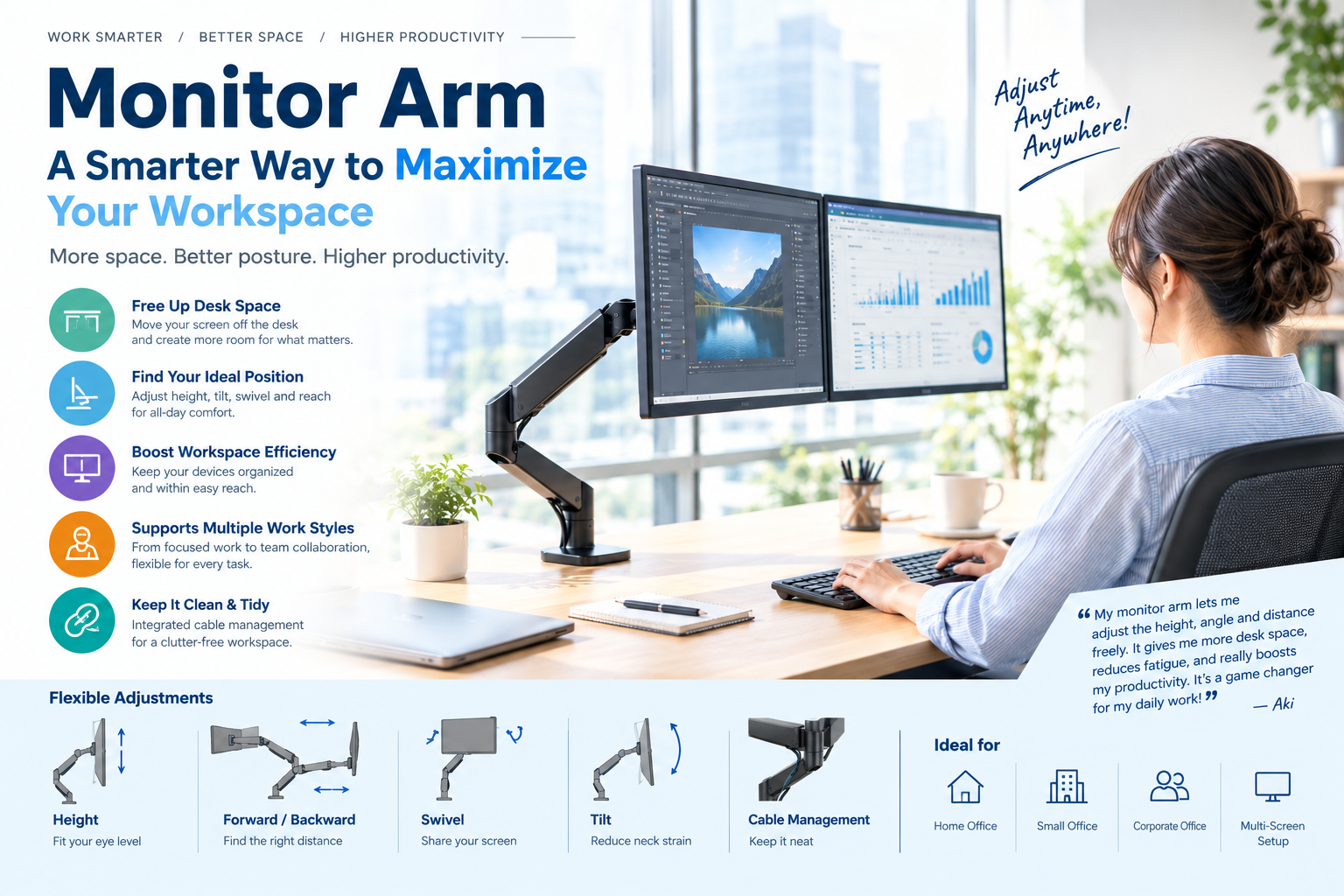
In modern workplaces, computer monitors are essential tools for daily work. However, with the growing popularity of remote work, home offices, multi-monitor setups, and compact workspaces, making effective use of limited desk space has become an important challenge for office workers, engineers, designers, and businesses. Traditional monitor stands often occupy a significant amount of desk space, while a Monitor Arm provides a more flexible and efficient solution.
1. Free Up Desk Space and Improve the Work Environment
Traditional monitor stands sit directly on the desk and can take up valuable space for keyboards, mice, documents, and other office equipment. One of the main advantages of a Monitor Arm is that it supports the monitor from the rear or side of the desk, significantly reducing the amount of surface area occupied by the monitor base.
Once the monitor is lifted off the desk, users have more space for keyboards, notebooks, documents, and other work tools. This benefit is particularly noticeable in home offices or other environments where desk space is limited. A cleaner and more open desk also makes it easier to create a workspace that matches individual working habits.
2. Achieve Better Monitor Positioning
Proper monitor positioning is essential for a comfortable and efficient working environment. A monitor that is too high, too low, too close, or too far away can make long periods of computer work less comfortable.
Most Monitor Arms provide height adjustment, forward and backward extension, horizontal rotation, and tilt adjustment. Users can therefore position their monitors according to their height, posture, and specific work requirements.
For example, adjusting the monitor to an appropriate height can create a more natural viewing position. The monitor can also be moved closer or farther away depending on the task. For users working with multiple monitors, Monitor Arms make it possible to arrange two or more screens at suitable angles, making it easier to switch between displays during work.
3. Improve Workspace Efficiency
Workspace efficiency is not simply about having more available desk space. It is also about placing every piece of equipment where it can be used effectively.
For example, a workspace may need to accommodate a laptop, external monitor, keyboard, and documents at the same time. A Monitor Arm can position the monitor in an appropriate location while leaving more usable space in the center of the desk.
A more organized workflow can reduce the time spent moving equipment or rearranging items. For businesses with many workstations and limited office space, Monitor Arms can also help create consistent and efficient workstation layouts.
By standardizing monitor installation and positioning, companies can improve space utilization while creating a cleaner and more modern office environment.
4. Support Different Working Modes
Modern work is increasingly flexible. Users may need to switch between document reading, data analysis, video editing, programming, and online meetings throughout the day. The flexibility of a Monitor Arm allows the screen to be adjusted according to different tasks.
For example, the monitor can be positioned at a comfortable angle for reading documents. During a presentation or discussion, the screen can be rotated toward another person. Designers and other professionals can also use the monitor rotation function to switch between landscape and portrait orientations.
This flexibility transforms the workstation from a fixed desk into an adaptable workspace that can respond to changing work requirements.
5. Create a Cleaner and More Organized Desk
A clean desk does more than improve visual appearance; it can also influence how people organize and perform their work. When monitor stands, cables, and other equipment occupy a large portion of the desk, the workspace can quickly become cluttered.
Many Monitor Arms include cable-management features that allow cables to be routed through the arm structure or organized behind the desk. This creates a cleaner and more professional working area.
A well-organized desk also makes it easier to locate important items and can reduce visual distractions during work.
6. A Practical Tool for Improving Work Efficiency
Overall, a Monitor Arm is much more than an accessory for mounting a monitor. It is an important tool for improving workspace design. By freeing up desk space, providing better monitor positioning, supporting multi-monitor configurations, and improving workspace efficiency, a Monitor Arm helps users create a workspace that better matches their individual needs.
Whether used in a home office, small studio, corporate office, or professional multi-monitor workstation, the right Monitor Arm can help limited desk space deliver greater value.
When monitors are positioned properly, desk space is used efficiently, and the workflow between different devices becomes smoother, users can devote more attention to the work that truly matters. Choosing the right Monitor Arm is therefore not only a way to solve desk-space problems, but also an important step toward creating a more efficient, comfortable, and modern workspace.
The Monitor Arm at Aki’s current workplace allows me to easily adjust the height, viewing angle, and distance of my monitor. It also frees up valuable desk space, making my workspace more organized and comfortable. As a result, I feel less tired even after working for long hours, while my overall work efficiency has improved. It is truly an essential tool and a fantastic work assistant.
