
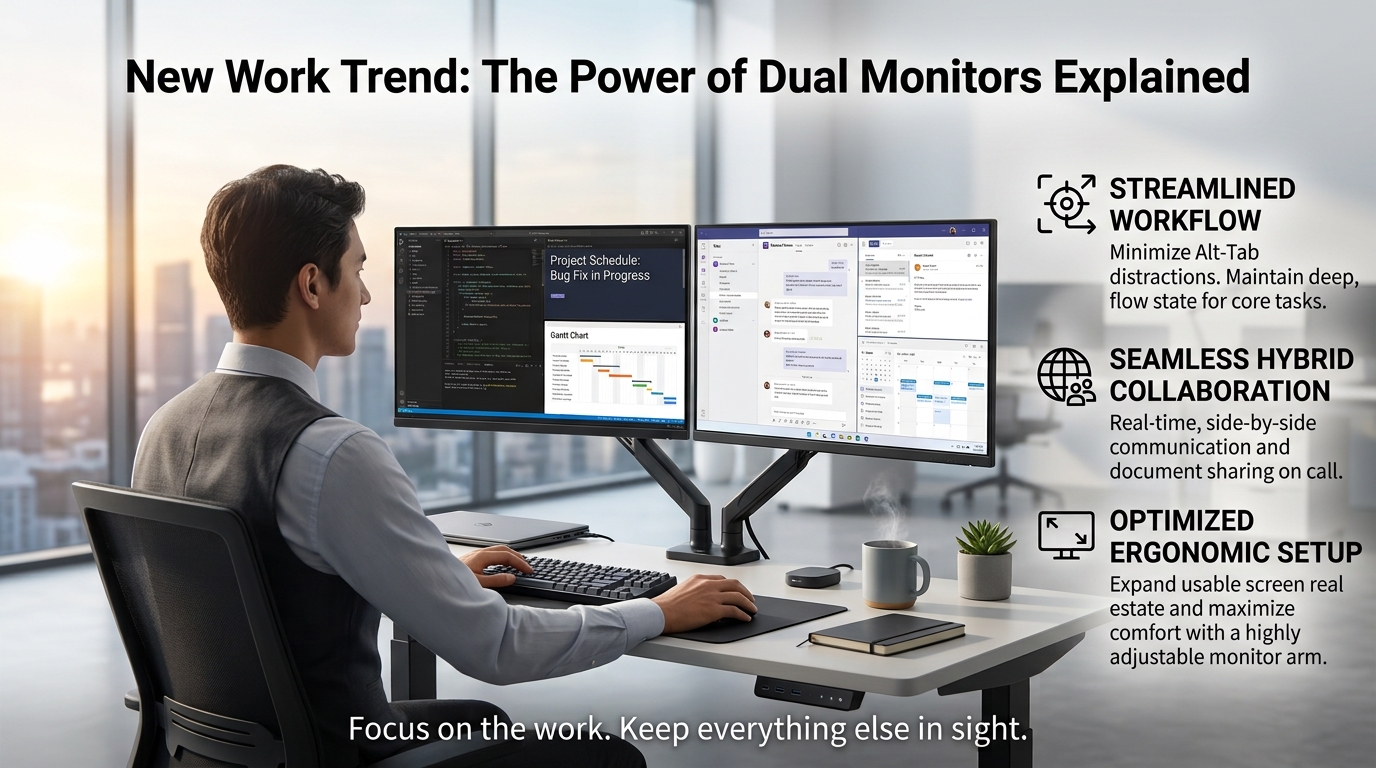
From software engineers and project managers to hybrid teams, dual monitor setups are becoming a key part of the modern workplace.
With documents, meetings, dashboards, messages, and AI tools all competing for attention, a second screen can reduce window switching and keep essential information visible. The result is a more organized workspace that supports productivity, focus, and smoother multitasking.
An Engineer's Morning Starts with Fewer Alt+Tabs
It's 9:20 a.m. The coffee is still hot, and Allen has already fixed his first bug of the day.
At his new dual monitor workstation, his IDE stays on the primary screen while API documentation, test results, logs, and Microsoft Teams remain visible on the second.
When an error appears, he can compare the log and specifications at a glance instead of repeatedly pressing Alt+Tab to find the right window.
Those few saved seconds may seem minor, but reducing constant window switching helps preserve concentration and momentum.
For Allen, the biggest benefit of dual monitors isn't simply more screen space.
It's being able to stay in the flow.
Dual Monitors Are Becoming the New Workplace Standard
A Dell-commissioned study conducted by Forrester Consulting found that 68% of notebook users with an external monitor felt productive and equipped to get their work done, compared with 38% of those without one.
The study also noted that external monitors can reduce scrolling and window switching while making it easier to work across multiple applications.
Source: Dell Technologies / Forrester Consulting
Dual monitor setups are also appearing in workplace planning guidelines. IBM's Workplace Design guidance, for example, includes dual monitors in its Team Table workspace alongside ergonomic seating, power access, and wireless connectivity.
Source: IBM Workplace Design
How Do Dual Monitors Improve Productivity and Focus?
One of the biggest benefits of a second monitor is reducing context switching.
Instead of constantly minimizing, rearranging, and searching through windows, users can keep important information visible and organized.
The primary screen can stay focused on the main task, while the second displays email, Teams or Slack, reference documents, dashboards, test results, or AI tools.
Whether you're coding, managing projects, or designing, a dual monitor setup can help reduce interruptions and keep workflows moving smoothly.
When each screen has a clear purpose, it's easier to stay focused and productive.
Why Second Screen Even More Valuable for Hybrid Work?
During a Teams meeting, Claire presents on one monitor while keeping the project schedule, meeting chat, and supporting documents open on the second.
When a question comes up, she can respond immediately without stopping screen sharing or searching through hidden windows.This is where a dual monitor setup becomes especially useful for hybrid work. One screen can stay dedicated to the meeting or presentation, while the other keeps messages, notes, schedules, and reference materials visible.
According to the Dell-commissioned Forrester study, 59% of external-monitor users said presenting or sharing screens was easier, while 56% said collaboration was easier.
For hybrid teams, the benefit is simple: less searching, smoother meetings, and the information you need always within reach.
Which Jobs Benefit Most from a Dual Monitor Setup?
Dual monitors are especially useful for roles that involve frequent comparison, communication, monitoring, and multitasking.
Software Engineers and Developers:
Keep code on one screen while viewing APIs, logs, test results, or team messages on the other.
Project Managers:
Manage roadmaps and schedules while keeping documents, dashboards, and team communication visible.
Designers:
Work in design software while referencing assets, specifications, previews, or inspiration on a second screen.
Data and Finance Professionals:
Compare dashboards, spreadsheets, reports, and live data side by side with less window switching.
Customer Service Teams:
Handle customer conversations while accessing CRM records, order details, and knowledge bases.
Video Editors and Hybrid Workers:
Use one screen for editing, meetings, or presentations and the other for supporting content, notes, or communication.
Across these roles, the key benefit isn't simply having more screens. It's gaining more usable screen space and a more efficient digital workspace.
More Screen Space, Better Workspace
A dual monitor setup provides more usable screen space, but proper positioning matters just as much.
A 2026 study on multi-monitor ergonomics found that improper monitor height, viewing distance, or screen angle may increase neck strain and visual discomfort. An effective dual monitor workstation should therefore consider monitor height, viewing distance, screen angle, orientation, and adjustability.
Source: ScienceDirect
As modern professionals work across documents, messages, video meetings, dashboards, and AI tools, monitor arms, sit-stand desks, and flexible workspace solutions can help create a more adaptable and organized workspace.
The real value of dual monitors isn't simply having more screen space. It's creating a workspace that supports focus, efficiency, and the way people work today.
Focus on the work. Keep everything else in sight.
